
Steps for Applying
Applying to a Health & 2nd Tier program involves two separate applications and admission processes:
- Admission to WCC
- Admission to your selected Health & 2nd Tier program
Follow the steps below to complete the application process.
You must be admitted to WCC before you can:
- Access the Health & 2nd Tier Program Application
- Be assigned to and meet with an Academic Advisor
You must be either:
- A current WCC student, or
- A newly admitted or readmitted WCC student
If you are new to WCC or have not enrolled at WCC within the past two or more years, you must complete a new general admissions application. Review WCC’s General Admissions Procedures.
Make Sure You Are in the Correct Application
You are in the General Admissions online application if you see “Online Application” above “Washtenaw Community College” in the top-left corner of the login page or the My Applications page after logging in:

Meet regularly with your assigned Academic Advisor to plan for your selected program and understand the admission process.
Your advisor can help you:
- Understand whether your program uses a Competitive Admission or Limited Enrollment process
- Understand how the admission process may affect your academic and application planning
- Review program admission and prerequisite requirements
- Identify potential course substitutions and explain how to request them
- Plan and schedule courses to meet admission and degree requirements
- Develop strategies to strengthen your application for Competitive Admission programs
- Explore other options if you are not offered a seat in your selected program
Schedule an appointment by contacting Academic Advising.
Each Health & 2nd Tier program has specific admission requirements that must be successfully completed before you are eligible to apply. Review your program requirements and application timeline early so you can plan for the semester you want to apply. All application requirements must be completed by the application deadline.
Understanding Your Program Requirements
Find and select your program name in the Program Application Windows and Admission Decision Timelines chart on Health & 2nd Tier Admissions to access your program admissions webpage and review the complete Application Requirements Checklist.
Some programs require you to attend an information session or webinar or meet with a Health Program Advisor. Some sessions or meetings are helpful to complete early in your planning, while others must be completed within a specific timeframe before you apply. Follow the requirements and timing listed on your program admissions webpage.
Review Your Program’s Technical Standards
Visit Technical Standards for Health Sciences Programs and select your program to review its technical standards.
Students with a documented disability, or who believe they have a protected disability, may request accommodations to assist with meeting the technical standards for WCC Health Science programs. For questions or assistance with accommodations, contact WCC Learning Support Services (LSS).
Check the Application Timeline
Review the Program Application Windows and Admission Decision Timelines chart for anticipated application dates.
Official application dates, deadlines, and admission requirements will be posted on your program admissions webpage once finalized, before the next application period opens. Anticipated dates are subject to change. Check your program admissions webpage regularly for the most current dates and information.
Learn About Your Program’s Admission Process
Health & 2nd Tier programs use either a Competitive Admission or Limited Enrollment process.
Learn about WCC’s Health & 2nd Tier Program Admission Processes to understand how applicants to your program are considered for admission and any additional criteria that may apply.
Note: When completing your online program application, you will be required to acknowledge that you have reviewed your program’s application requirements, technical standards, and admission process.
Review and gather your required documents before starting your program application. Preparing documents in advance can help prevent delays in processing your application.
Most documents can be uploaded directly to your online program application. However, official transcripts and test scores that require evaluation—such as college transcripts, articulated credit, AP, or CLEP scores—must be submitted in advance so they can be evaluated and posted to your WCC record. These documents cannot be uploaded to your program application.
Requirements vary by program and may include:
Be prepared to provide:
- The front and back of your valid driver's license or state ID, or three approved residency documents
- Documentation that matches the "Basic" address in your student record, which is used to determine your residency status
Visit Residency for residency policies, acceptable documentation, and additional information.
Documentation may be uploaded to your online program application, emailed to the Health & 2nd Tier Admissions Office at [email protected], or submitted in person at the Student Welcome Center, 2nd Floor, Student Center Building (SC 203).
If applicable, submit the following documents to the appropriate WCC office for processing:
Health & 2nd Tier Admissions Office
- TEAS test scores
- High school transcripts or diplomas
- GED certificates
- ACT or SAT scores
These documents may be uploaded to your online program application, emailed to the Health & 2nd Tier Admissions Office at [email protected], or submitted in person at the Student Welcome Center, 2nd Floor, Student Center Building (SC 203).
Transcript Evaluation Office
- College, university, or military transcripts
- Articulated credit
- AP or CLEP test scores
These documents must be submitted to the Transcript Evaluation Office for evaluation and cannot be uploaded to your online program application.
For questions about transfer credit, course equivalencies, or submitting official transcripts and test scores, contact the Transcript Evaluation Office at [email protected] or visit Transfer Credits to WCC for more information.
Important:
- Transfer credit must be evaluated and posted to your WCC record before it can be used to meet application or degree requirements.
- If multiple transfer courses are used to meet one WCC course requirement, each course must meet the minimum grade requirement. Grades are not averaged.
- Course syllabi may be required to determine whether a transfer course is equivalent to a WCC course.
- Course substitutions must be approved by the appropriate department before they can be used to meet application or degree requirements. Discuss potential substitutions with your Academic Advisor.
- Resolve transfer credit and course substitution issues early. Delays in evaluation or approval may delay the processing of your application.
- You do not need to submit WCC transcripts. We have access to your academic record.
Depending on your program, you may need to provide proof of a professional license, certification, or training, such as:
- LPN license
- CNA certification or Nurse Aide Training completion
- CDA certification
- Registration card from ARRT, NMTCB, or ARDMS
Documentation may be uploaded to your online program application, emailed to the Health & 2nd Tier Admissions Office at [email protected], or submitted in person at the Student Welcome Center, 2nd Floor, Student Center Building (SC 203).
Receiving College Credit for Professional Credentials
If your program awards college credit for professional licensure or certification, complete the Industry Certifications/Non-Traditional Credit Form and upload a copy of your license or certification. Approved credit may count toward your graduation requirements.
For questions about receiving college credit for professional credentials, contact the Transcript Evaluation Office at [email protected] or visit Credit For Prior Learning.
Some programs require additional forms. Review your program requirements to determine whether forms must be completed before applying.
All Health & 2nd Tier Program Forms are available under the Admissions: Health & 2nd Tier Program Forms section on Student Forms.
Form Signature and Submission Requirements
Forms signed by an employer, organization, or school:
- Electronic signature: Must be emailed directly from the official email address of the person or organization verifying the information. These forms cannot be uploaded to your application or submitted by the student.
- Handwritten signature: Must include a business card or official letterhead from the verifying party for authentication. The form may be uploaded to your application, emailed, or submitted in person.
Forms signed by the student:
- Electronic signature: May be uploaded to your application or emailed directly from your WCC student email account. These forms cannot be submitted in person or emailed from a personal email address.
- Handwritten signature: May be uploaded to your application, emailed, or submitted in person.
Where to Submit Forms
Forms submitted outside the online application must be sent to the Health & 2nd Tier Admissions Office by email at [email protected] or submitted in person at the Student Welcome Center, 2nd Floor, Student Center Building (SC 203).
If applicable, submit:
- Current service members: Documentation verifying current military service
- Veterans: A copy of your Form DD-214
Documentation may be uploaded to your online program application, emailed to the Health & 2nd Tier Admissions Office at [email protected], or submitted in person at the Student Welcome Center, 2nd Floor, Student Center Building (SC 203).
Before starting your program application, make sure your WCC student record is current and accurate. Complete any necessary updates before accessing your online application account to help prevent issues with account access or application submission.
Review Your Student Record
Log in to your MyWCC account and verify that the following information is correct:
- Name
- Date of Birth
- Basic Address
- Residency Status
- Phone Number(s)
You can update certain contact information through MyWCC. However, changes to your name, date of birth, or residency status must be completed through the Student Welcome Center.
- Log in to the Student Gateway and click MyWCC
- Click Student Services Dashboard
- Under the General section, select Personal Information
- Review the following information:
- Personal Details
- Phone Numbers
- Addresses
- If needed, update your Phone Number(s) or Address(es) by editing an existing entry or selecting Add New
Important: Your Basic Address is used to determine your residency status. Make sure a current and accurate Basic address is listed in your student record.
- Log in to the Student Gateway and click MyWCC
- Click Student Services Dashboard
- Under the Registration section, select Student Profile
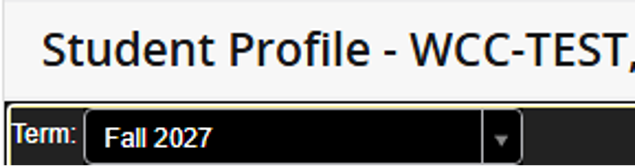
- In the upper-left corner, use the Term drop-down menu to select the semester for which you intend to apply to the program
- Under General Information, locate Residency
- Confirm that your residency status accurately reflects your current Basic Address
on file.

Updates That Require Additional Action
Certain changes to your student record require additional verification or assistance from the Student Welcome Center.
Basic Address and Residency Status
If your Basic Address is missing or incorrect, your address change affects your residency status, or your residency status is incorrect, you must contact the Student Welcome Center and submit the required documentation to verify or update your residency status.
You can add or update your Basic Address through your MyWCC account. However, updating your address in MyWCC does not automatically update or verify your residency status. You must still submit the required documentation to the Student Welcome Center.
Complete all necessary student record updates and verification requirements before accessing your online program application account or starting your application.
After you have completed all admission requirements and gathered your required documents, you are ready to apply.
Program applications are only available during each program’s designated application window. Visit Health & 2nd Tier Admissions and locate your program in the Program Application Windows and Admission Decision Timelines chart. Select your program name to access the application.
Before You Begin: Your personal email address on file with WCC serves as your username for the online program application. You will be asked to verify this email address before accessing your application account. If the email address displayed is incorrect or missing, you will need to contact the Student Welcome Center for assistance.
- Click the green Apply to WCC’s [Program Name] Program button
- Complete the Health & 2nd Tier Program Application form:
- Select your program
- Check the boxes to agree to the acknowledgements
- Enter your Last Name and WCC Student ID
- Click Next
- Resolve any application access issues (if applicable):
- If you do not meet certain requirements, you may be stopped from continuing the online
application. Common reasons include:
- Mandatory Information/Advising Session or Webinar: If your program requires attendance and you have not completed the requirement, you will be unable to continue until it is satisfied.
- WCC Admission Status: If you are not a current WCC student or have not been newly admitted or readmitted to WCC, you will be unable to continue until your WCC admission status is updated.
- Important: If you are stopped during this step, resolve the issue, then return to the program’s admissions webpage to access the application again.
- If you do not meet certain requirements, you may be stopped from continuing the online
application. Common reasons include:
- Verify the personal email address displayed:
- If the email address is correct: Select Yes, then click Start Your Program Application
- If the email address is incorrect or blank: Select No and contact the Student Welcome Center to update the personal email address linked to your online application account
- Important: Even if you update your personal email address in MyWCC, you must contact the Student Welcome Center to link it to your online application account. Once updated, follow the password reset instructions sent to your email, then return to the program’s admissions webpage to access the application again.
- Log in to your Online Application Account:
- Enter your personal email address
- Enter your password
- If you do not remember your password, click Forgot Password and follow the instructions
- On the My Applications page, click Start New
- Select the program you want to apply for from the drop-down list
- Select the term you are applying for from the drop-down list
- Click Start Application
- Answer all application questions and upload the required documents
- Review and submit your application:
- Less than 99% complete: Your application is missing required information or has an incomplete section. Review your application and resolve any outstanding items before submitting
- 99% complete: Your application is ready to submit
- 100% complete: Your application has been successfully submitted
Make Sure You Are in the Correct Application
You are in the Health & 2nd Tier Program Application if you see “Health & 2nd Tier Program Application” above “Washtenaw Community College” in the top-left corner of the login page or on the My Applications page after logging in.

Note: If you have trouble accessing the application or are redirected to WCC's home webpage
after clicking the program application link, try a different browser, an incognito/private
browsing window, or clearing your browser's cache.
Application Extensions (Competitive Admission Programs Only)
If accepted or alternate candidate seats remain available after the initial application deadline, the application window may reopen on the second day after the deadline to collect additional applications.
Students who have not yet completed all admission requirements may also apply for conditional consideration if they expect to meet the requirements by the deadline specified on their program’s admissions webpage.
Check your program’s admissions webpage for possible reopening dates. For eligibility and selection details, visit Competitive Admission Program Point Scales and review the Application Extension Process section.
Confirm Your Application Was Submitted
You will receive a confirmation email immediately after successfully submitting your program application.
The email will:
- Come from [email protected]
- Have the subject line “Health & 2nd Tier Application-RECEIVED”
- Identify the program and semester you applied for in the opening sentence (for example: “We have received your application to Washtenaw Community College’s [Program Name] for the [Semester].”)
If you do not receive the confirmation email:
- Check your junk or spam folder
- If you still cannot find the email and believe you successfully submitted your application,
contact the Health & 2nd Tier Admissions Office before the application deadline
- Phone: (734) 677-5450
- Email: [email protected]
Monitor Your Email
All communication about your application and program status will be sent by email. It is your responsibility to check your email regularly and respond to requests by the stated deadlines.
While your application is being processed and reviewed:
- If you have taken courses at WCC, program communications will be sent to your WCC student email.
- If you have not taken courses at WCC, communications will be sent to your personal email.
- We strongly recommend checking both your WCC student and personal email at least once a week.
- Check your junk or spam folders regularly, as WCC emails may occasionally be directed there.
Note: If you receive Accepted or Alternate Candidate status all program-related communications with the academic department must be through your WCC student email address.
Additional Important Notes
WCC assumes that emails sent to you are received. If you do not respond to required action items or meet stated deadlines, your application may be closed or you may forfeit your program status.
Read all communications carefully and contact the Health & 2nd Tier Admissions Office with questions or concerns well before any applicable deadline.
Please plan ahead: It may take up to two business days to receive a response from WCC.